GB WhatsApp Ghost Mode Ultimate Privacy Setup for 2026
Ghost Mode is the holy grail of WhatsApp privacy, and GB WhatsApp delivers the most complete implementation available. Imagine being completely invisible online, reading every message without sending blue ticks, and replying only when you feel like it, all while the other person has no idea you are even there. This is what Ghost Mode in GB WhatsApp offers, and this guide shows you how to enable it in minutes.
What Is Ghost Mode on GB WhatsApp
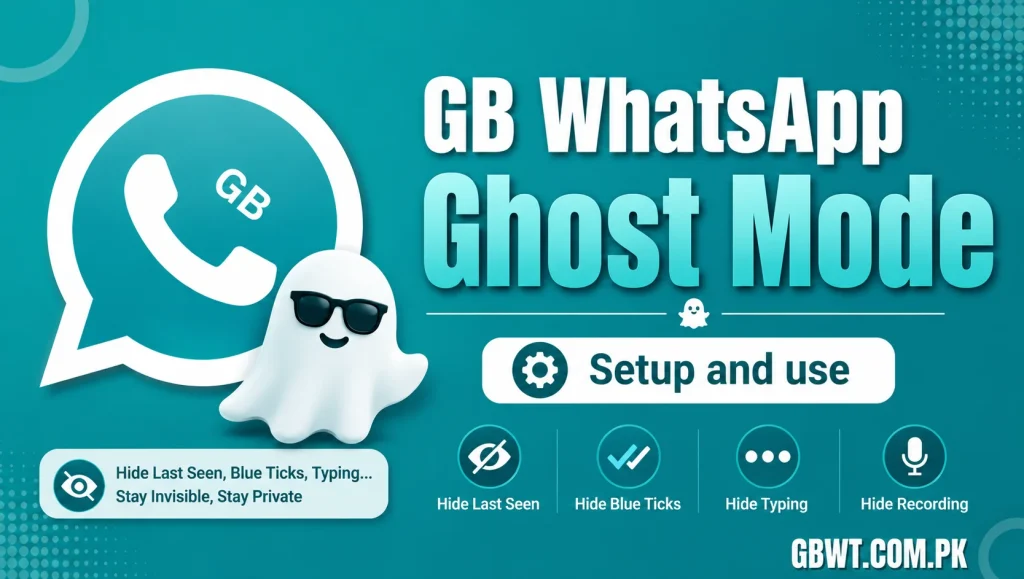
Ghost Mode is a combination of privacy features that make your activity on GB WhatsApp almost invisible. When activated, you appear offline, your last seen is frozen, blue ticks are hidden, typing indicators are disabled, and status views are stealth. The other person sees a completely static profile, as if you never opened the app.
Features Included in Ghost Mode
Freeze Last Seen
The official app always updates your last seen when you open WhatsApp. Ghost Mode keeps your last seen stuck at the last time you enabled the feature, so no one can tell when you were last online. You can still see other people last seen normally, which is a huge advantage.
Hide Online Status
When Ghost Mode is on, GB WhatsApp prevents the app from broadcasting your online presence. The other person never sees the green Online tag, and you appear offline even while actively using the app. This works in one to one chats as well as in groups.
Disable Read Receipts
Blue ticks are completely hidden in Ghost Mode. The sender sees a double gray tick, which is the universal sign that the message has been delivered but not read. This takes the social pressure out of replying instantly, especially in work groups and busy group chats.
Block Typing and Recording Indicators
The typing and recording indicators are a dead giveaway that someone is actively chatting. Ghost Mode disables both, so the other person has no idea whether you are typing a reply, recording a voice note, or just ignoring them.
Stealth Status Viewing
When you view a status, the official app sends a view receipt to the creator. Ghost Mode routes the view through a private channel that does not register on the server, so the status creator never knows you watched their update.
How to Enable Ghost Mode Step by Step
Update to the Latest GB WhatsApp
Ghost Mode requires the most recent version of GB WhatsApp, which includes the unified privacy module. Head to your trusted download source and grab the latest APK.
Open GB Settings
Launch GB WhatsApp, tap the three dot menu, and choose GB Settings. From there, navigate to Privacy and Security, then look for the Ghost Mode section near the top of the menu.
Toggle the Master Switch
Inside the Ghost Mode menu, you will see a master switch and individual toggles for each privacy feature. Turn on the master switch to enable all ghost features at once, or pick and choose the ones you want.
Pick an Optional Ghost Mode PIN
For extra security, you can set a PIN that must be entered before GB WhatsApp reveals your activity to the other party. This is useful for situations where you want Ghost Mode on most of the time but occasionally let certain contacts see you online.
Best Times to Use Ghost Mode
Ghost Mode shines during work hours, when you want to focus without being interrupted by chat notifications. It is also great at night, when you read messages before bed but do not want to start a conversation. Many users keep Ghost Mode on permanently and only disable it for very close friends and family.
Ghost Mode vs Standard Privacy Settings
Standard privacy settings in the official app let you hide last seen, profile photo, and about, but they do not hide online status or blue ticks. Ghost Mode in GB WhatsApp covers every visibility signal in one click, which is a major upgrade in convenience and effectiveness.
Common Ghost Mode Mistakes
Do not enable Ghost Mode and then expect to see other people last seen, since some features only work one way. Do not forget to check the Anti Delete and Freeze Last Seen toggles, since they are part of the full Ghost Mode experience. Finally, do not enable Ghost Mode during security verifications, as some flows require active online status.
FAQs
Can someone tell if I enabled Ghost Mode?
No, Ghost Mode runs locally on your device. The other person sees the same static profile they would see from any user who is simply not online.
Does Ghost Mode affect message delivery?
No, messages still arrive instantly. Only the visibility signals are changed, not the underlying chat protocol.
Can I still call someone in Ghost Mode?
Yes, calls work normally. The other person will see an incoming call, and you can talk without ever showing as online in the chat.
Will Ghost Mode drain my battery?
No, Ghost Mode uses the same local toggles as other GB WhatsApp features. There is no extra background process or hidden cost.
Can I whitelist specific contacts in Ghost Mode?
Yes, the custom privacy feature lets you whitelist selected contacts, so they see you online and read their messages, while everyone else gets the ghost experience.